Pitch Decks. Graphics. Contracts.
Built From
Your Business.
Three editors that already know your business. Pitch decks pull live figures from your invoices and customers, the image editor puts Wizard AI behind every graphic, and the PDF editor gets contracts signed and filed.
- Live business data in every deck
- Share links that show who read them
- Graphics sized for every channel
- Combine and sign PDFs
- Autosave in every editor
- Wizard AI
Free on every plan. Public links and PowerPoint export on paid plans. Brand kit on Professional and Enterprise.
Free on every plan. Starter included.
Raising money or winning your first client should not start with another design subscription. Build your pitch deck, edit your images and prepare your PDFs on any Wizard Application plan, including the free Starter plan.
Decks That Know Your Numbers
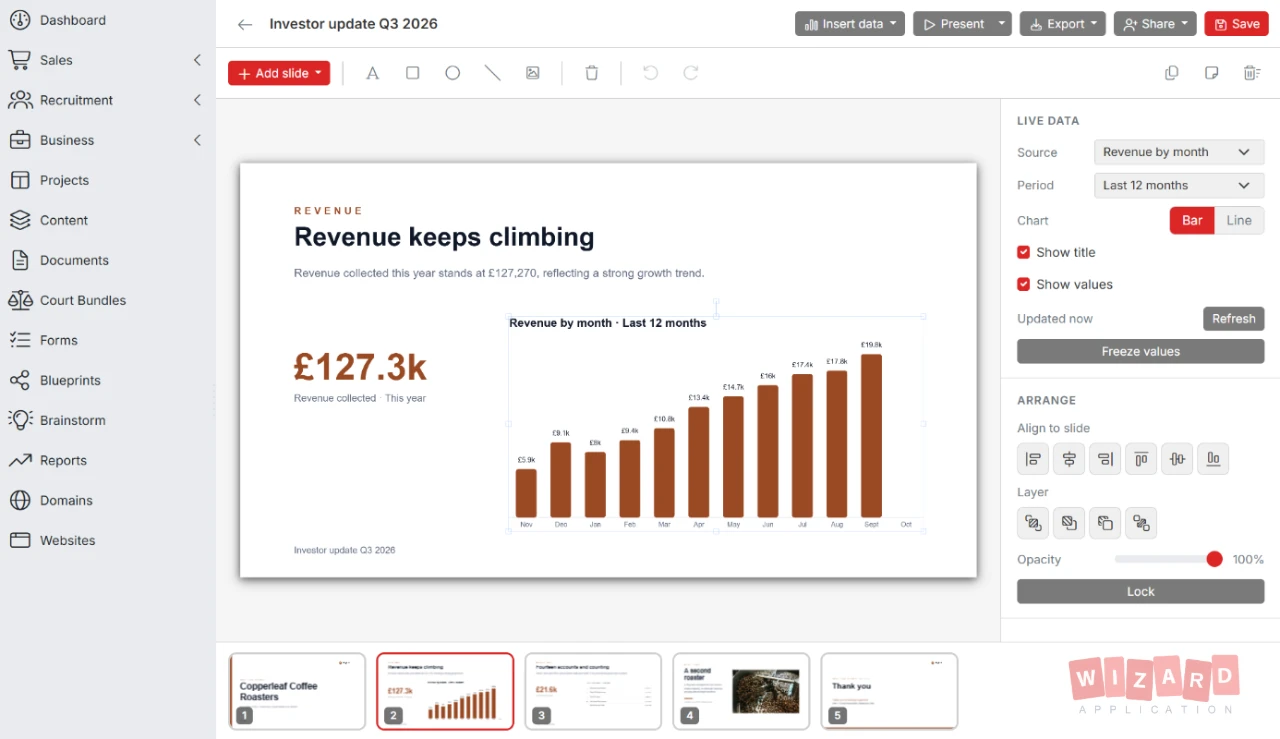
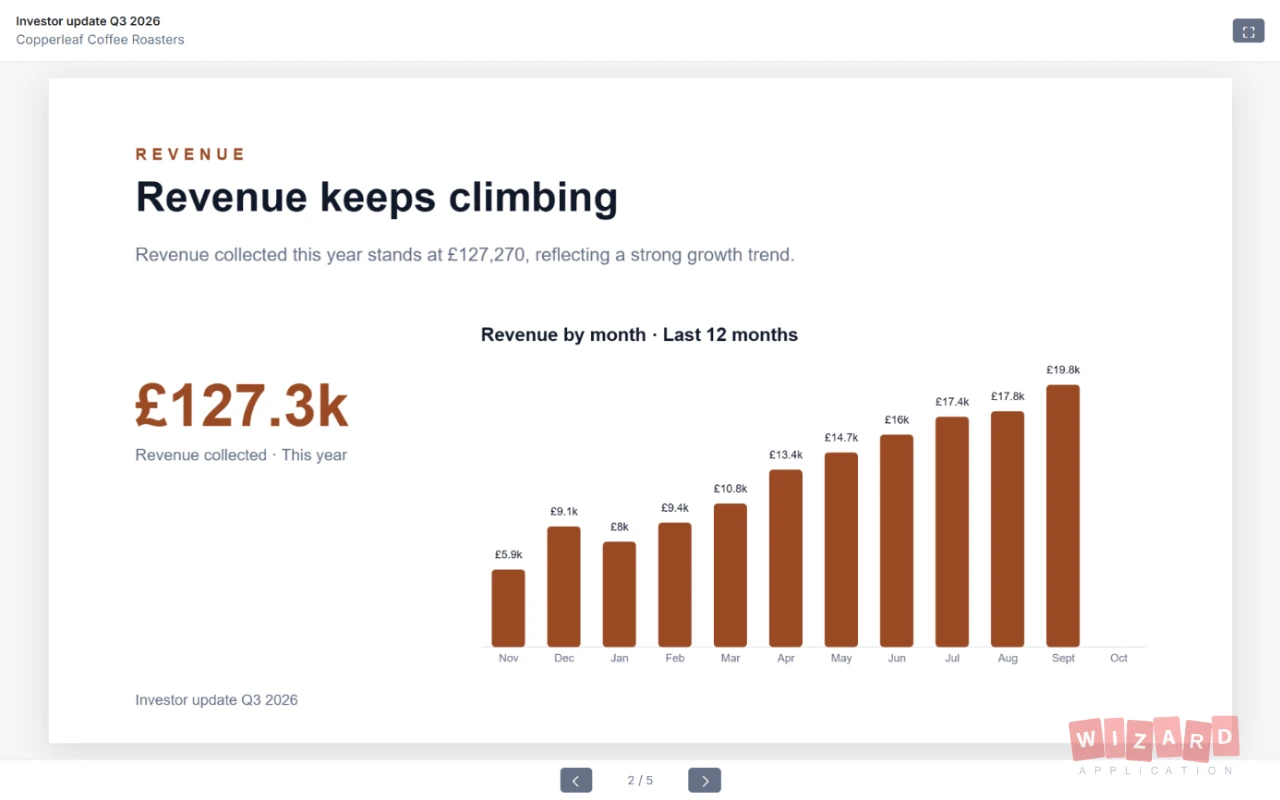
Drop revenue, customers, open jobs and more onto a slide as live figures, charts and tables. They refresh every time the deck opens, so the numbers in the room match the numbers in your books.
-
Live data blocks Figures, charts, breakdowns and tables from invoices, customers, candidates, jobs, projects and the help desk. Freeze the values when you want a fixed snapshot.
-
Drafted by Wizard AI Start from an investor update, monthly review, client review or recruitment update and Wizard AI writes the outline around your real figures. It never adds numbers your workspace does not have.
-
Your brand on every slide Apply your logo, colors and fonts to the whole deck in one click. Professional and Enterprise plans.
Send It. See Who Reads It.
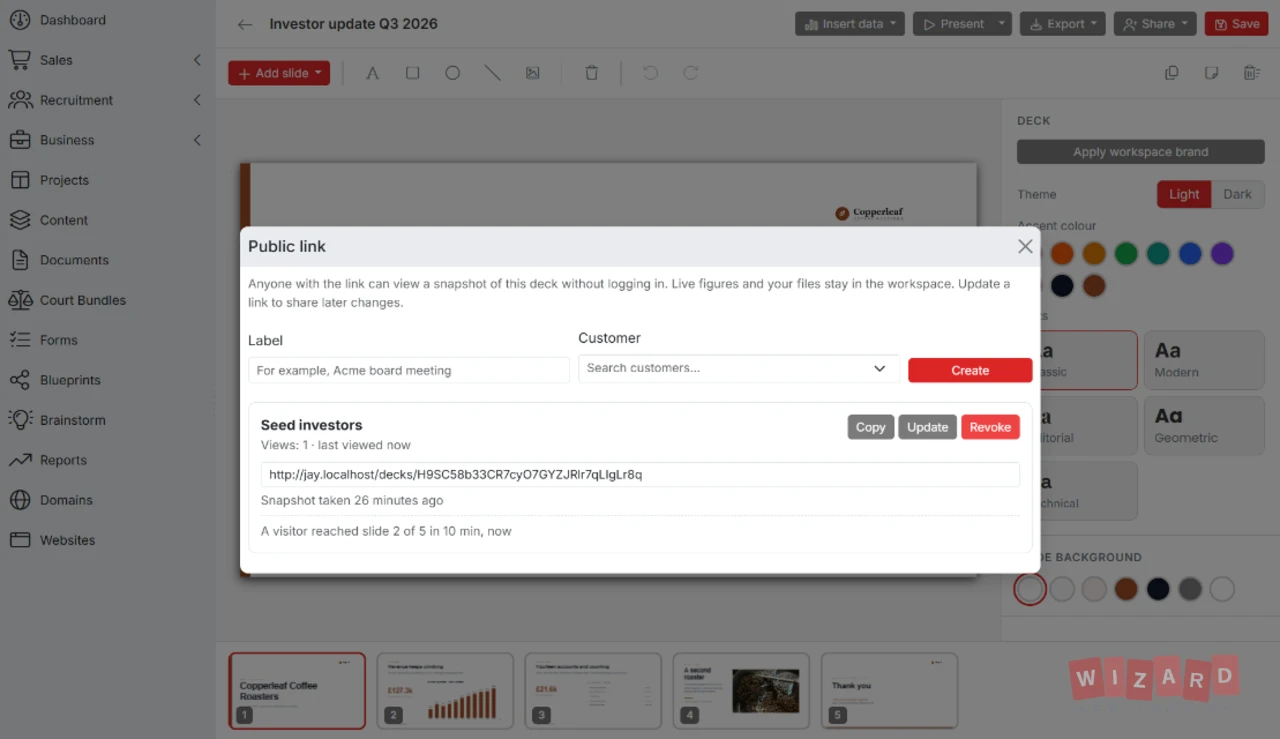
Send a deck with a public link and see when it is opened and how far each visitor gets. Inside the workspace, give people or whole departments view or edit access.
-
Public links with tracking Every link counts its views and the furthest slide each visitor reached. Update a link to share later changes or revoke it at any time. Paid plans.
-
Team access Share with people or departments at view or edit level, and find every deck shared with you in one place.
-
Present or export Present full screen with speaker notes, or export the deck to PowerPoint or PDF. PowerPoint export is on paid plans.
On-Brand Graphics In Minutes
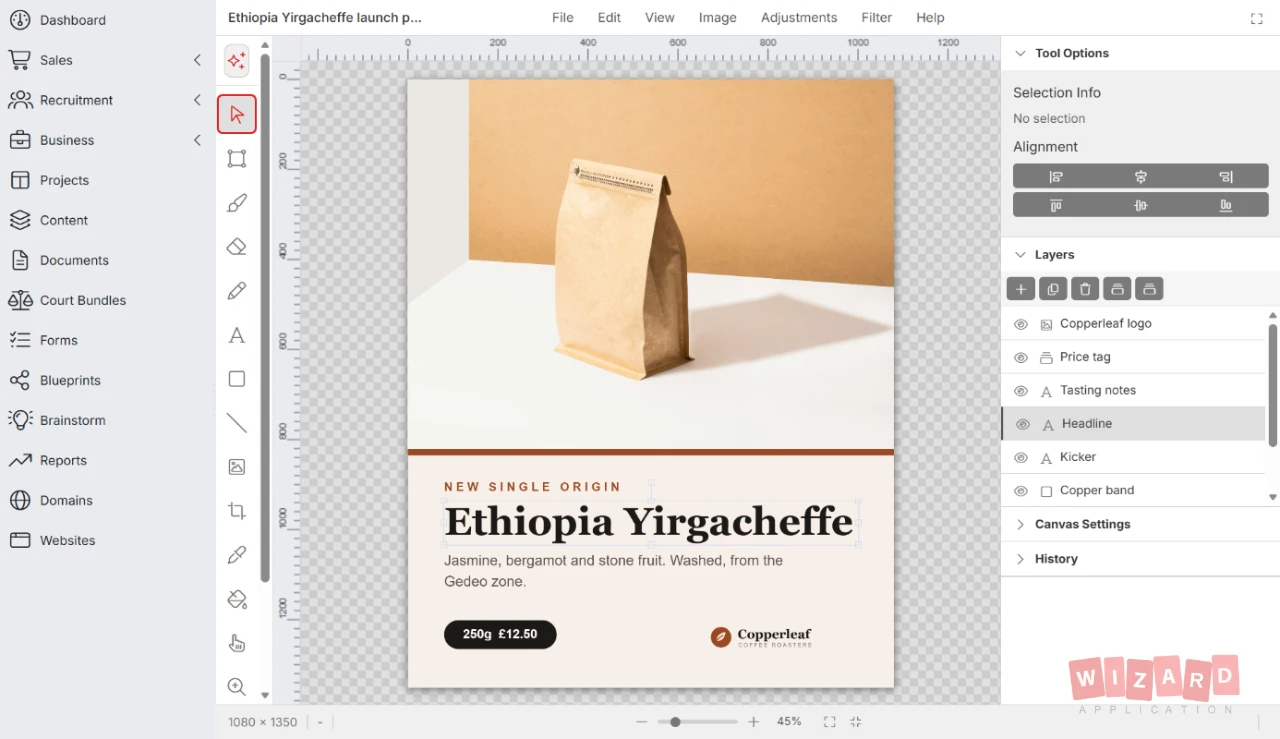
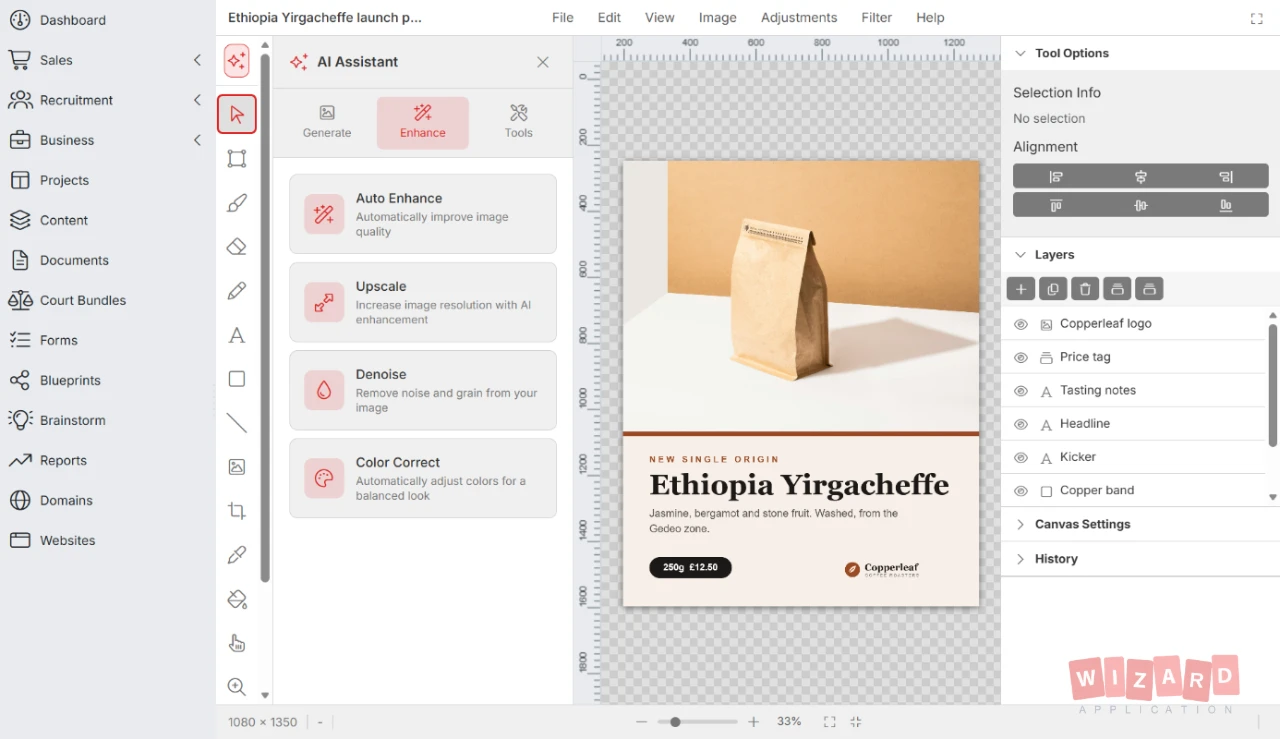
A layered canvas with sizes ready for every social channel. Pull photos from your media library and let Wizard AI do the heavy lifting.
-
Layers and adjustments Text, shapes, brushes and crop on named layers, with levels, hue and saturation and a set of filters.
-
Wizard AI built in Generate images from a description, remove backgrounds, fill a selected area, and enhance, denoise or color correct a photo.
-
Sizes for every channel Start from presets for Instagram, LinkedIn, X, Facebook, TikTok and YouTube, or set your own size.
-
Logo maker Describe your business, choose a style such as minimal, vintage or geometric, and Wizard AI drafts a logo you can refine and save to your media library.
Contracts Signed And Filed in Minutes
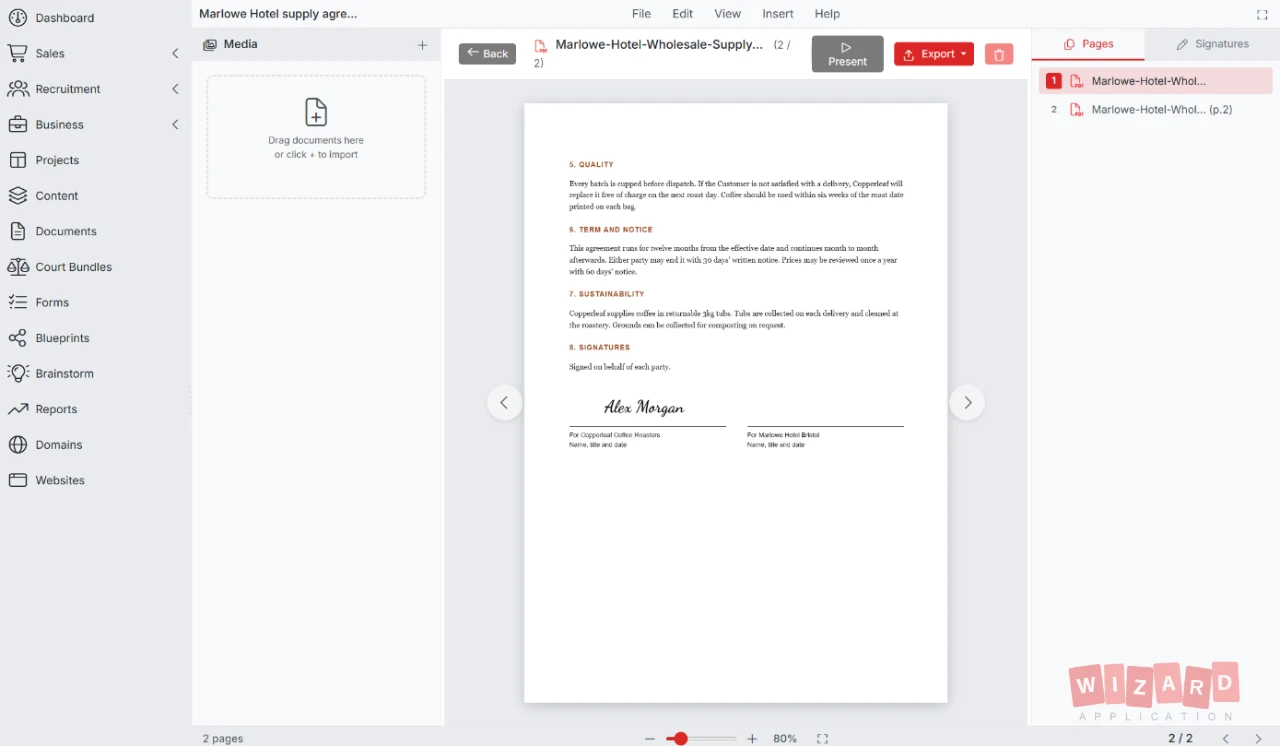
Combine PDFs and images into one document, sign it and file it on the record it belongs to.
-
Combine PDFs and images Add PDFs and images as pages in one document, put them in order and remove the pages you do not need.
-
Sign three ways Draw a signature, type one in a signature font or upload an image, then place it on any page.
-
Export where the work lives Download the result, file it into a media library folder or attach it directly to a candidate, job or company record.
Your Work Is Always Safe And Always Yours
The studio behaves like the rest of Wizard Application. Everything is saved, versioned, permission-controlled and connected to your media library.
Everything Your Business Needs
One subscription. One login. Zero limitations. Replace your entire software stack with a platform built to scale with you.
Ready to get started?
Discover how Wizard Application can streamline your business. Start free today.
Studio Editors Questions Answered
Yes. Studio Editors is included with every Wizard Application plan at no extra cost. Public share links come with paid plans and the brand kit with Professional and Enterprise.
From your own workspace: invoices, customers, candidates, jobs, projects and help desk tickets. Each figure respects the permissions of the person viewing it, refreshes when the deck opens and can be frozen when you want a fixed snapshot.
Yes, on paid plans. Create a public link and anyone with it can view a snapshot of the deck without logging in. Live figures and your files stay in the workspace, and you can update or revoke the link at any time.
The PDF editor combines PDF files and images. The image editor works with any image in your media library, and pitch decks can use those images too.
Wherever you need them. Download them, save them into your media library, or attach PDF exports directly to a candidate, job or company record.
Only if you choose to save over it, and even then a version is recorded first so you can restore the previous file. You can always save your edit as a new file instead.