Every business software vendor makes the same promises. The way to see past the sales page is to ask a consistent set of questions across every option you compare, and to write the answers down so the decision is made on evidence rather than on whoever gave the best demo. Here is the checklist we would use ourselves.
Start with the problem and not the product
Before looking at any tool, write down what is actually going wrong. Leads getting lost, invoices going out late, hiring taking too long, or nobody being able to see the state of a project. A clear list of problems, ranked by how much they cost you, gives you something to score every option against. Without it, the decision tends to go to the tool with the longest feature list, and most of those features are ones you will never open.
Does it replace tools or just add one more
The easiest way to make sprawl worse is to buy a good tool that only covers one job. Before buying, map what you already use for CRM, projects, HR, invoicing, and support, and ask whether the new tool reduces that list or extends it. A connected platform covering sales, projects, HR, and invoicing is worth more than a single sharp point solution once you count the integration work saved. Every extra tool also means another login, another bill, another place where a customer's details can be out of date.
Who owns the data and where does it live
Ask directly whether your data sits in a shared database with other customers or in an isolated one, which region it is stored in, and what happens to it if you leave. Vague answers here are a warning sign and not a technicality. Ask how you would get your data out, because a tool that is hard to leave has more power over you than one that is easy to leave. Look for independent evidence of security practice too, such as a recognised certification, and for basics like two-factor authentication.
What does it cost at the size you will be in a year
Per-user pricing that looks cheap at five people can be painful at twenty. Model the cost at your current headcount and at a realistic growth number before committing, not just at today's price. Then look past the headline price at the limits. Storage, the number of records, the number of team members, and any usage based extras such as AI credits can all change what a plan really costs once you are using it properly. Check whether there is a free tier you can genuinely run a business on, and what specifically triggers a move to a paid plan, so an upgrade happens because you have outgrown a limit and not because of a surprise on an invoice.
Can you actually get support from a person
Chatbots and help centres are fine for simple questions. Before buying, find out what happens when something breaks during a busy week: is there a support channel with a real response time, or just a contact form that disappears into a queue. The best test is to ask a real question during the trial and see how long a proper answer takes.
Does it fit how your team already works
The best software on paper fails if your team quietly avoids using it. Run a trial with the people who will use it daily, not just the person signing the contract, and watch for how much friction there is in year-one, everyday tasks like logging time, raising an invoice, or moving a lead along the pipeline. If it takes a manual to do the things your team does forty times a week, it will not survive contact with a busy Monday.
What happens to onboarding and permissions as you grow
A tool that works for three people can fall apart at twenty without proper roles and permissions. Check that access control is granular enough to give new hires only what they need, without an administrator manually policing every account. Groups and per-module permissions are what make it possible for sales to see the pipeline, finance to see the invoices, and nobody to see the whole business by accident. Also check what happens when someone leaves, and how quickly their access can be removed everywhere at once.
Will it work with the tools you keep
You will not replace everything. Accounting, calendars, file storage, and payment providers often stay. Ask which integrations are supported and how deep they go. Two-way calendar sync, a proper connection to your accounting package, and a way to take card payments are more useful than a long list of logos on a page.
How to run the trial properly
Pick one real workflow and run it end to end, for example taking a lead through to a paid invoice. Give it to the people who would use it every day, agree in advance what a good result looks like, and set a date to decide. Trials without a deadline and a success test quietly turn into permanent half-adoption, which is the worst outcome because you pay for the tool and still keep the old spreadsheets.
If you want to see how one connected platform stacks up against this checklist, the Wizard Application product overview covers CRM, HR, recruitment, projects, invoicing, and support in a single workspace.
Running the checklist against Wizard Application
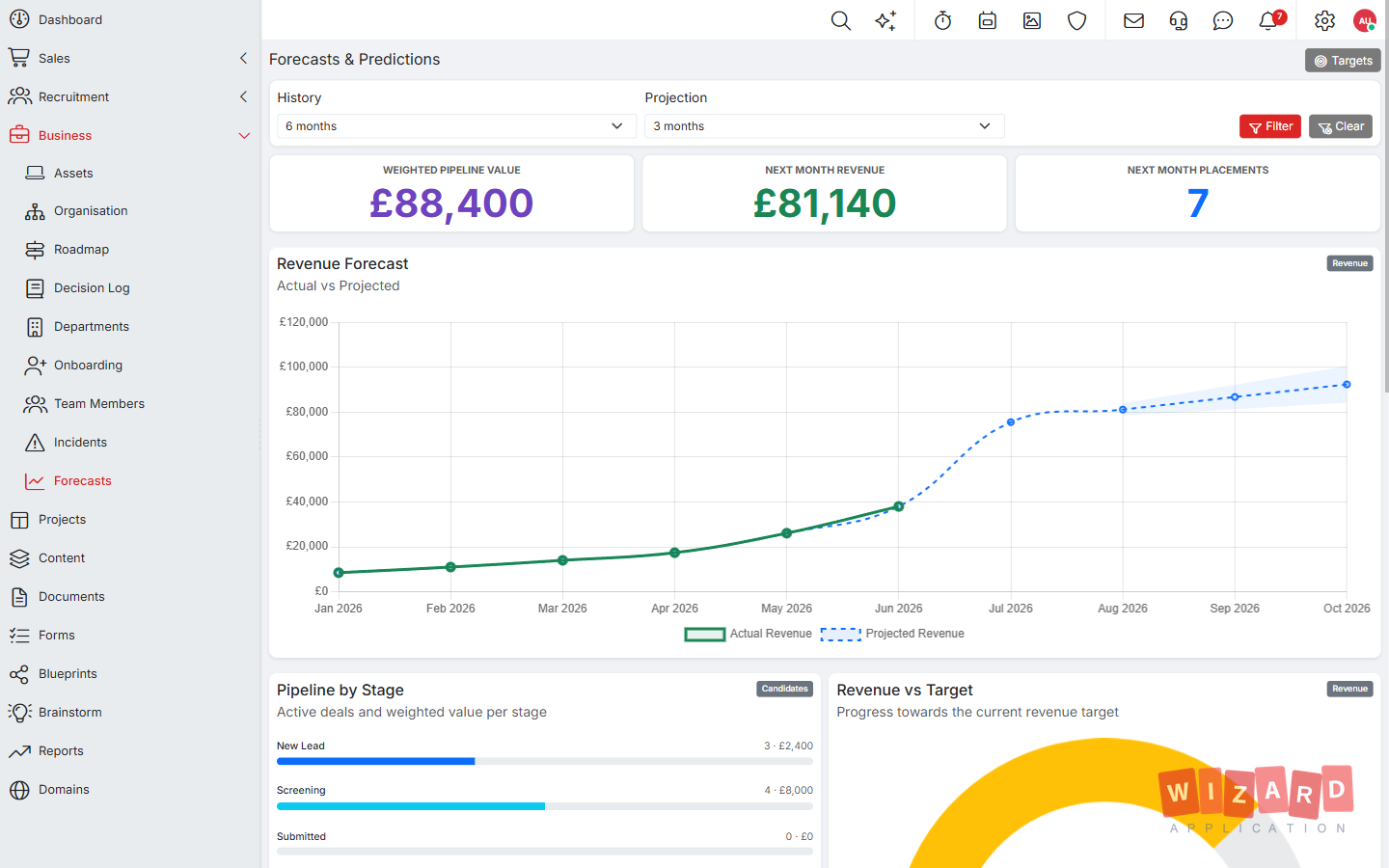
Take the first question on the list, whether a tool replaces others or just adds one more. A team currently running separate CRM, project management, and invoicing tools can bring a lead into Wizard Application, convert them to a customer with one click, raise an order and an invoice from that record, and log time against the work so approved billable hours flow onto the invoice, all without exporting a single spreadsheet in between. That is the sprawl question answered in an afternoon rather than a sales call. It is also the point where a connected platform starts to pay for itself: a live dashboard pulling pipeline value, revenue, and bookings from the same underlying data is something spreadsheets stitched together after the fact simply cannot match.
On data ownership, each customer gets their own separate database rather than sharing tables with everyone else, and Wizard Application holds Cyber Essentials certification. You can also request a copy of your data at any time. That is still something worth confirming directly during a trial rather than taking on trust from a features page.
On cost, the Starter plan is free for the first user, with no card required, so you can run a real workflow before spending anything. Paid plans raise the limits on things like records, storage, and AI credits, and the pricing page sets out exactly what each plan includes, which makes it straightforward to model the cost at the size you expect to be.
On permissions, users are organised into groups with per-module access for viewing, editing, deleting, and administering, so a new hire gets what their role needs and nothing more.
On support, the honest test is to raise a real question during the trial period, before any contract is signed, and see how long a genuine answer takes to come back through the support channel, not just how fast an automated reply arrives.
On fit, the useful trial is not a demo run by one person. Add the people who would actually log time, raise invoices, and move candidates through a pipeline day to day, and watch where they hesitate. Friction that shows up in week one from real users is a better signal than a polished sales demo ever is.
Frequently asked questions
What should I look at first?
Start with the problems you need to solve, ranked by cost. Then count the tools a new option would let you cancel.
How do I run a useful trial?
Run one real workflow end to end with the people who will use it daily. Agree what a good result looks like and set a date to decide.
Where is my data stored in Wizard Application?
Each customer gets their own separate database, and Wizard Application is Cyber Essentials certified. You can request a copy of your data at any time.