Almost every growing business starts the same way. A spreadsheet tracks the customer list. Another tracks who is working on what. A third tracks invoices. For a while it works, and it costs nothing, which is exactly why it sticks around long after it should have been retired. The trouble is that the cost does not disappear. It moves out of the software budget and into hours of manual work, avoidable mistakes, and decisions made on numbers nobody quite trusts. Here are the signs that day has arrived, and what a better setup looks like.
You are copying data between tabs by hand
If closing a sale means updating a sales tab, then a delivery tab, then an invoicing tab, you are running a manual sync job with no error checking. Every copy is a chance to drop a digit or miss a row, and nobody finds out until a customer queries a bill. A CRM keeps the customer record in one place, so the lead, the order, and the invoice all point at the same data instead of three copies of it. When a qualified lead becomes a customer, their contacts, notes, and history come with them instead of being retyped.
Nobody can say what is actually happening right now
Spreadsheets show a snapshot from whenever they were last opened and saved. If two people update their own copy, someone is working from stale numbers. Ask how much is in the pipeline, which invoices are overdue, or how many hours went into a client this month, and the answer starts with "let me check". A shared platform with live reporting means those figures reflect what is true at the moment someone looks, because the report reads the same records the team is working in.
Formulas break and nobody notices for weeks
A dragged cell reference, a deleted column, a pasted value that overwrote a formula. Spreadsheets fail silently, and the person who built the sheet is usually the only one who can fix it. That is a single point of failure sitting in the middle of your operations, and it gets riskier every time someone adds another tab or another set of hands.
Permissions are all or nothing
Sharing a spreadsheet usually means sharing everything in it. Client contact details sit next to internal margin notes, and anyone with the link can see both. Salary information ends up in the same workbook as the holiday calendar because it was convenient. Proper role-based permissions let you group your people by team or department and decide, module by module, whether each group can view, edit, delete, or administer. Sales sees the pipeline, finance sees the invoices, and nobody sees everything unless you decide they should.
Nobody knows who owns what
A lead sits in a row with a name in a notes column, or worse with no name at all. Two people chase the same prospect and a third is never contacted. Spreadsheets have no concept of ownership, so every handover depends on someone remembering to update a cell. In a CRM every lead has a status and an assigned owner, and reassigning it when someone is on holiday is a single change rather than a rewrite of the sheet.
Time and billing live in different places
Hours get noted on a timesheet or in a message thread, then someone rebuilds them into an invoice at the end of the month. Work goes unbilled because a note was lost, or gets billed late because the person who knew the hours was away. With time tracking built into the same platform, a team member starts a timer on a task or logs hours by hand and marks them billable. The entries roll up into a weekly timesheet that a manager approves, and approved billable time then turns into invoice line items without anyone retyping a number.
Onboarding a new hire means teaching them the spreadsheet
If a new starter needs an hour-long tour of which tab does what, which cells not to touch, and which colour means what, the spreadsheet has become a system nobody designed. Software with clear modules and sensible defaults can be picked up by someone who has never seen your business before, and permissions mean they only see the parts relevant to their job on day one.
What to move to instead
You do not need ten different tools to replace ten different spreadsheets. A platform like Wizard Application brings CRM, project management, time tracking, and invoicing together, so a customer record, a piece of work, the hours logged against it, and the invoice that follows are connected rather than copied. That means one place to update, one source of truth, and no more hunting for which copy of the spreadsheet is the current one.
What this looks like in practice
Say a lead comes in through a web form on your site. In Wizard Application it lands in the CRM pipeline as a new lead with the enquiry, the contact details, and the source already recorded, so you can see later which channels actually bring in business. Someone is assigned as the owner, the lead moves through your statuses as the conversation progresses, and notes are added as you go.
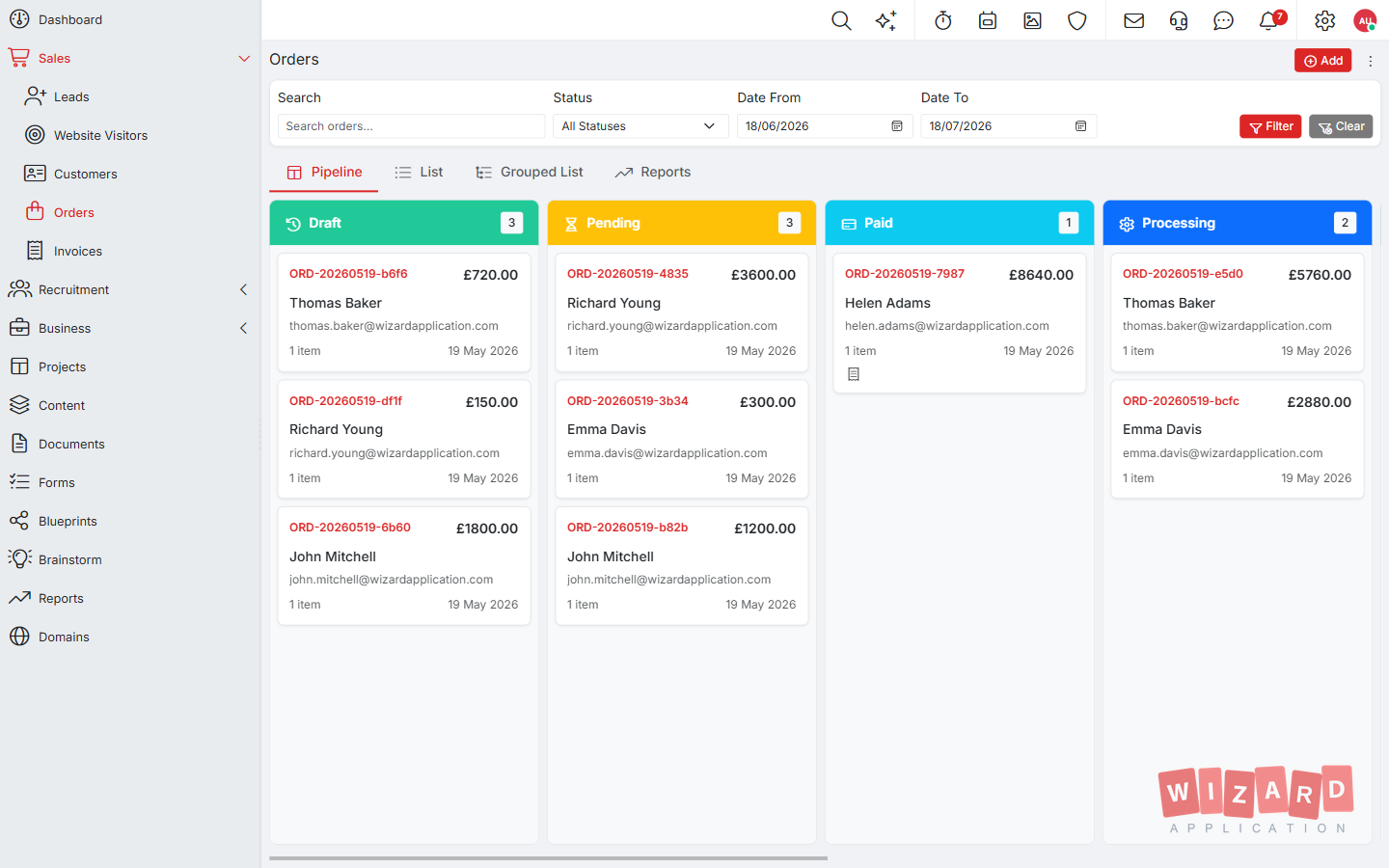
When the lead qualifies, converting them to a customer is one click and nothing is re-entered. The customer profile carries their contacts, addresses, notes, and history. From there you raise an order with line items, tax, and discounts, and turn it into an invoice that can be sent as a PDF and tracked through draft, sent, paid, and overdue.
Delivery work runs alongside that in project management, with tasks, Kanban boards, sprints, and a backlog. The team logs hours against the work with time tracking, and approved billable hours can be pulled straight onto an invoice. The result is that the sale, the work, and the bill all trace back to the same customer record, so a manager checking on a client sees the real position rather than whatever was last typed into a tab.
None of that needs a specialist to set up. A small team can be capturing leads, raising invoices, and tracking time within a day of signing up, which is usually faster than untangling the spreadsheet chain it replaces.
How to make the move without the disruption
You do not have to switch everything in a week. The least painful way is to pick the spreadsheet that causes the most grief, usually the customer list or the invoice tracker, and move that first. Bring your existing lead list across using import, get the team using it for new enquiries, and leave the old sheet read only so nobody keeps updating both. Once that feels normal, move the next workflow. Running the old and new side by side for a short overlap is fine. Running them side by side indefinitely is how a business ends up with two sources of truth and trusts neither.
Two questions help decide when the time is right. First, how much of your week is spent reconciling one document against another? Second, could a colleague take over your role for a fortnight using only what is written down in the spreadsheets? If the honest answers are "too much" and "no", the spreadsheets are no longer saving you money.
If any of this sounds familiar, take a look at the full product overview to see what replacing the spreadsheet stack actually looks like. The Starter plan is free, so you can move your first workflow across and see how it feels before committing to anything.
Frequently asked questions
How do I know we have outgrown spreadsheets?
Ask how much of your week goes on reconciling one document against another, and whether a colleague could cover your role for a fortnight from the spreadsheets alone.
Do we have to move everything at once?
No. Move the spreadsheet that causes the most grief first, make the old one read only, and move the next workflow once the first feels normal.
Can I import my existing customer list?
Yes. You can bring your existing lead list across using import.