Signs Your Business Has Outgrown Spreadsheets
Spreadsheets are free and flexible, right up until they are not. Here are the signs your business has hit that point, and what to move to instead.
Read moreTurn a laptop or tablet into a till. Scan barcodes, take cash or card, print or email receipts and cash up at the end of the day. Every sale lands in the same orders, stock and customer records as the rest of your business.
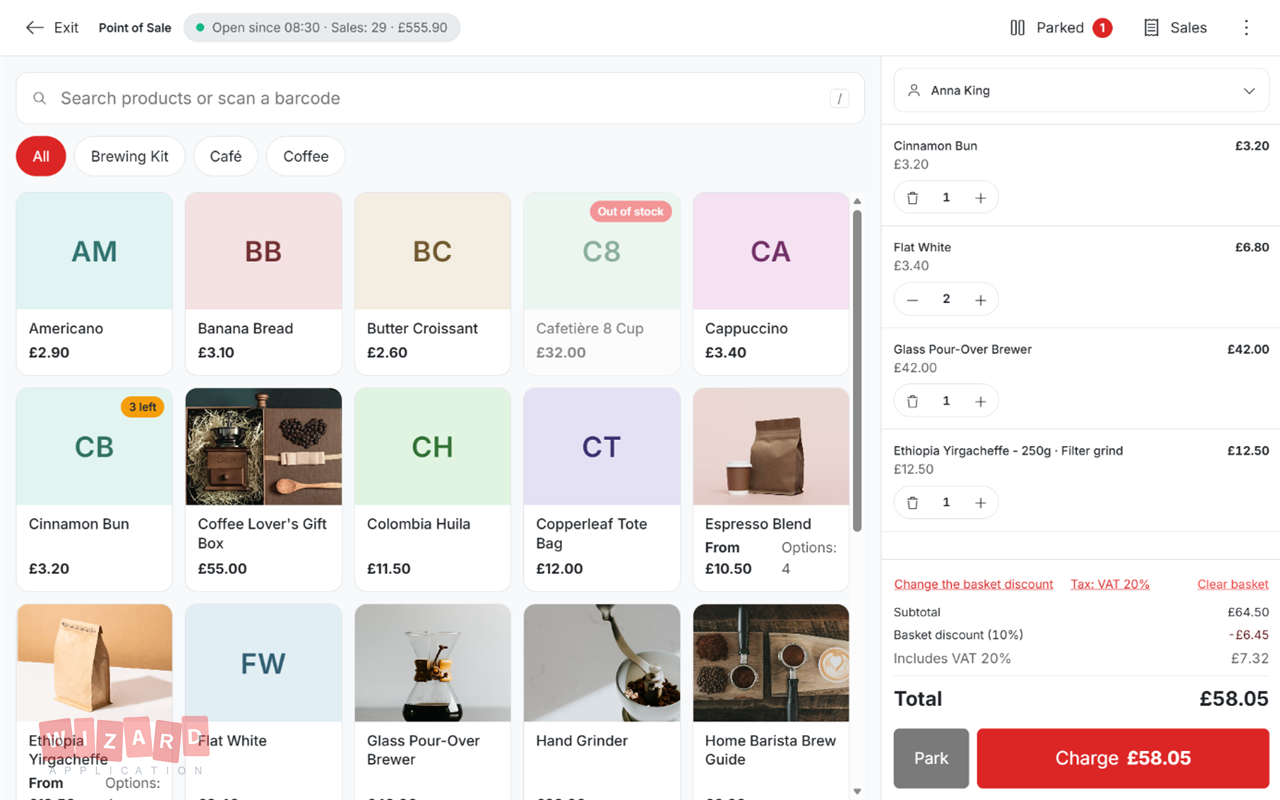
Count the float into the drawer and start selling.
Tap products or scan barcodes, add discounts and take cash, card or both.
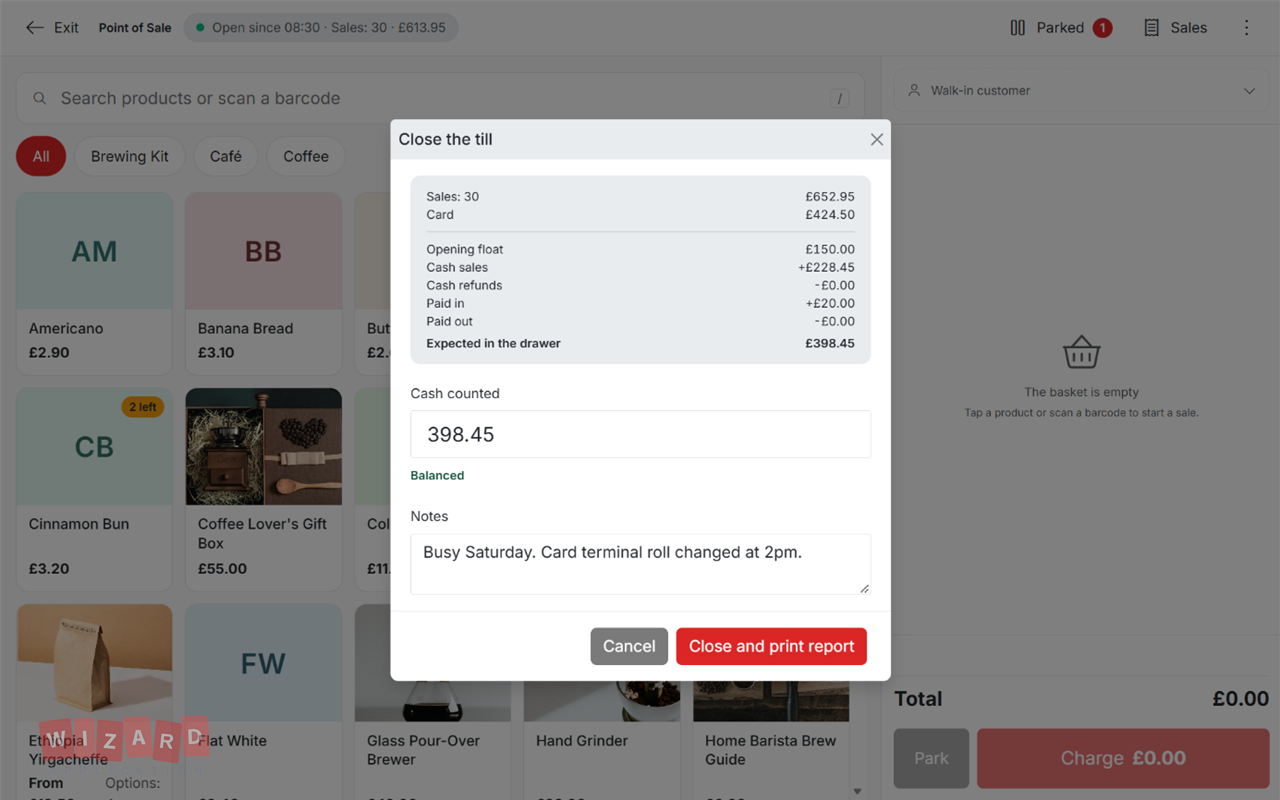
Count the drawer, see any difference and print the end of day report.
Big product tiles, instant search and barcode scanning that works without clicking into a box first.
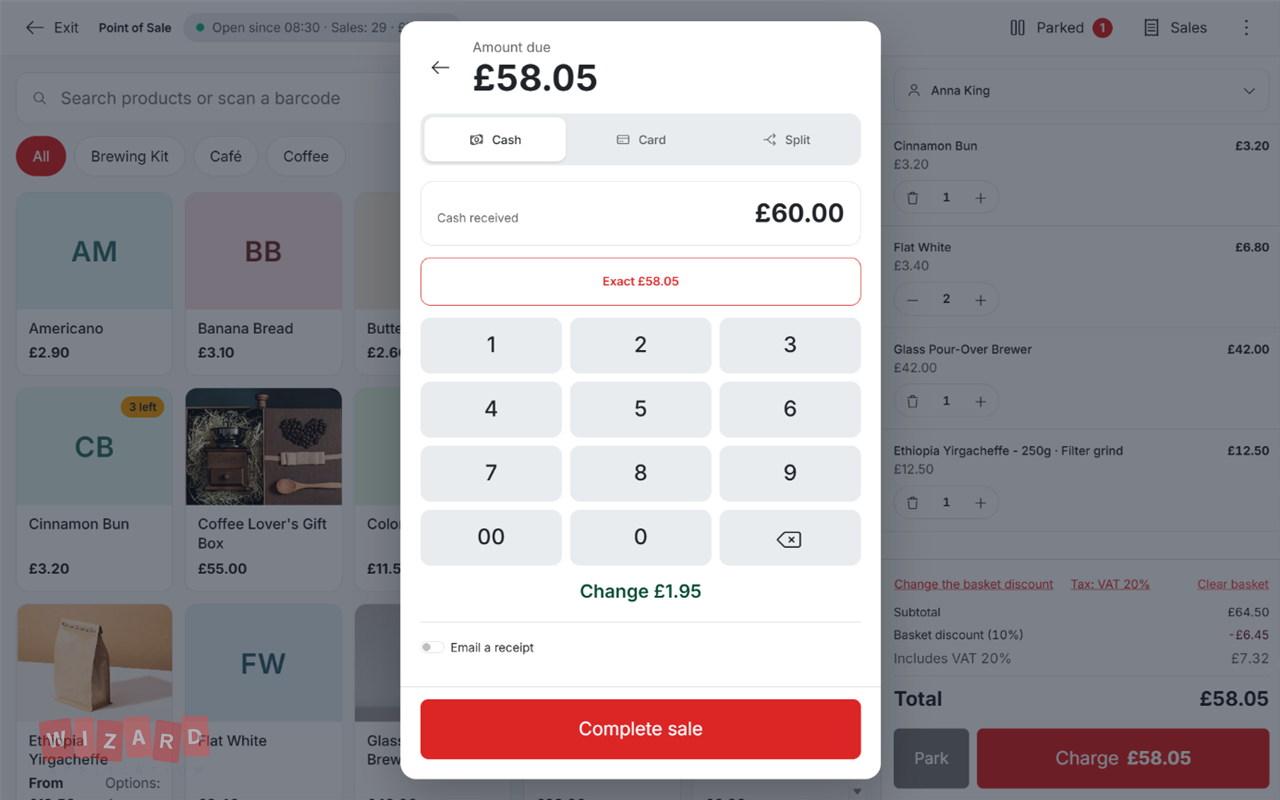
Tell the till what the customer handed over and it works out the change.
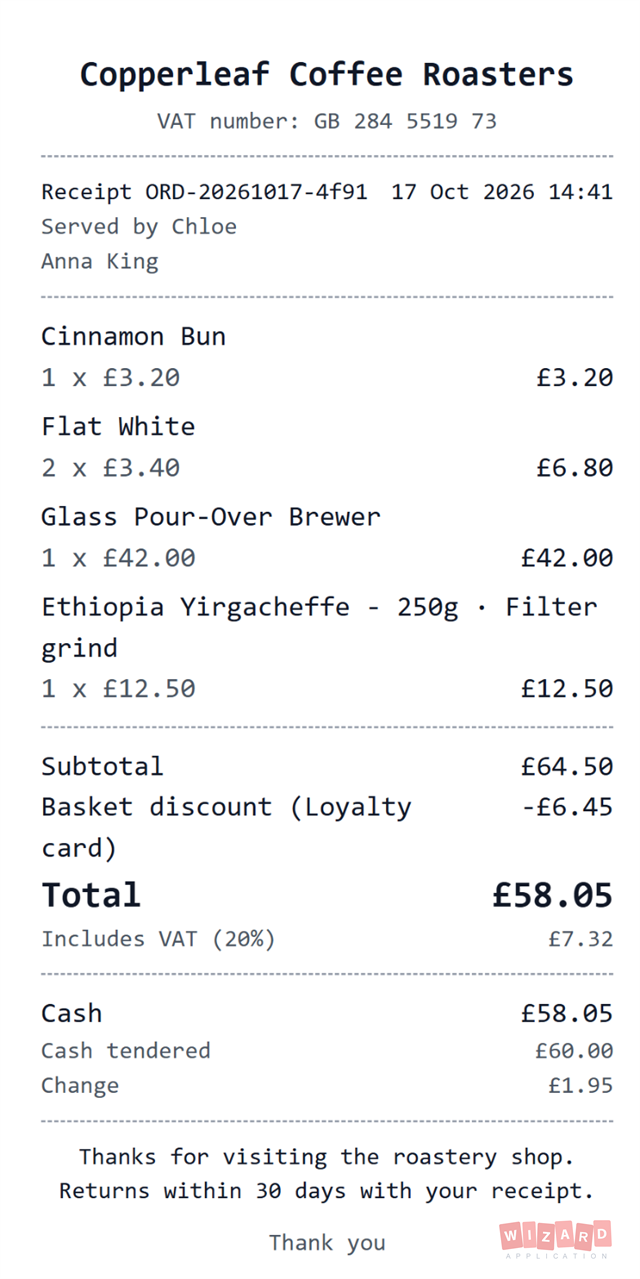
Print to a receipt printer or email a copy straight from the till.
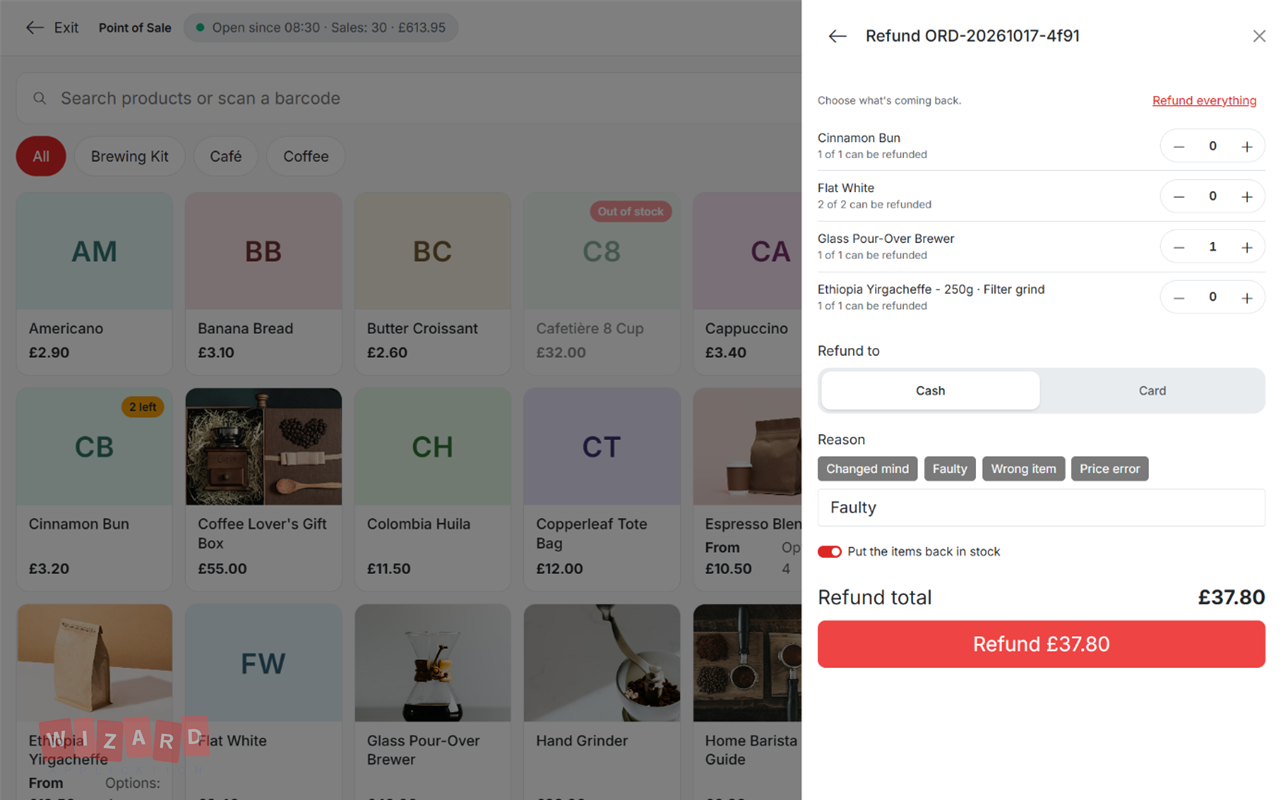
Find the sale, choose what's coming back and refund it in a few taps.
The till keeps track of every pound in the drawer so closing up is quick.
One subscription. One login. Zero limitations. Replace your entire software stack with a platform built to scale with you.
Spreadsheets are free and flexible, right up until they are not. Here are the signs your business has hit that point, and what to move to instead.
Read more
A sales pipeline is only useful if every stage means the same thing to everyone. Here are the stages most small businesses need, what has to be true before a lead moves on, and how to keep the pipeline honest.
Read moreDiscover how Wizard Application can streamline your business. Start free today.
No. The till runs in a web browser on a laptop, desktop or tablet. A USB or Bluetooth barcode scanner and a receipt printer are optional.
Yes. Take the payment on your own card machine, then record it on the till. You can also split a payment between card and cash.
Yes. The till sells from the same product catalogue and stock as your website store, so a sale in the shop updates stock everywhere.
Only if their role allows it. Selling, refunding and managing the till are separate permissions.
The till uses the tax rates set up in your workspace. Each sale starts on your default rate, and you can choose another rate for a single sale.