Wizard Application vs Calendly: How They Compare
Comparing Calendly and Wizard Application Calendar Bookings? Here is how a dedicated scheduling tool compares with booking pages built into your business workspace.
Read moreShare a booking page and people pick a slot in the hours you have marked as free. Customers, leads, candidates and anyone else can book, and every booking lands in your calendar with the details you need. Included on every plan.
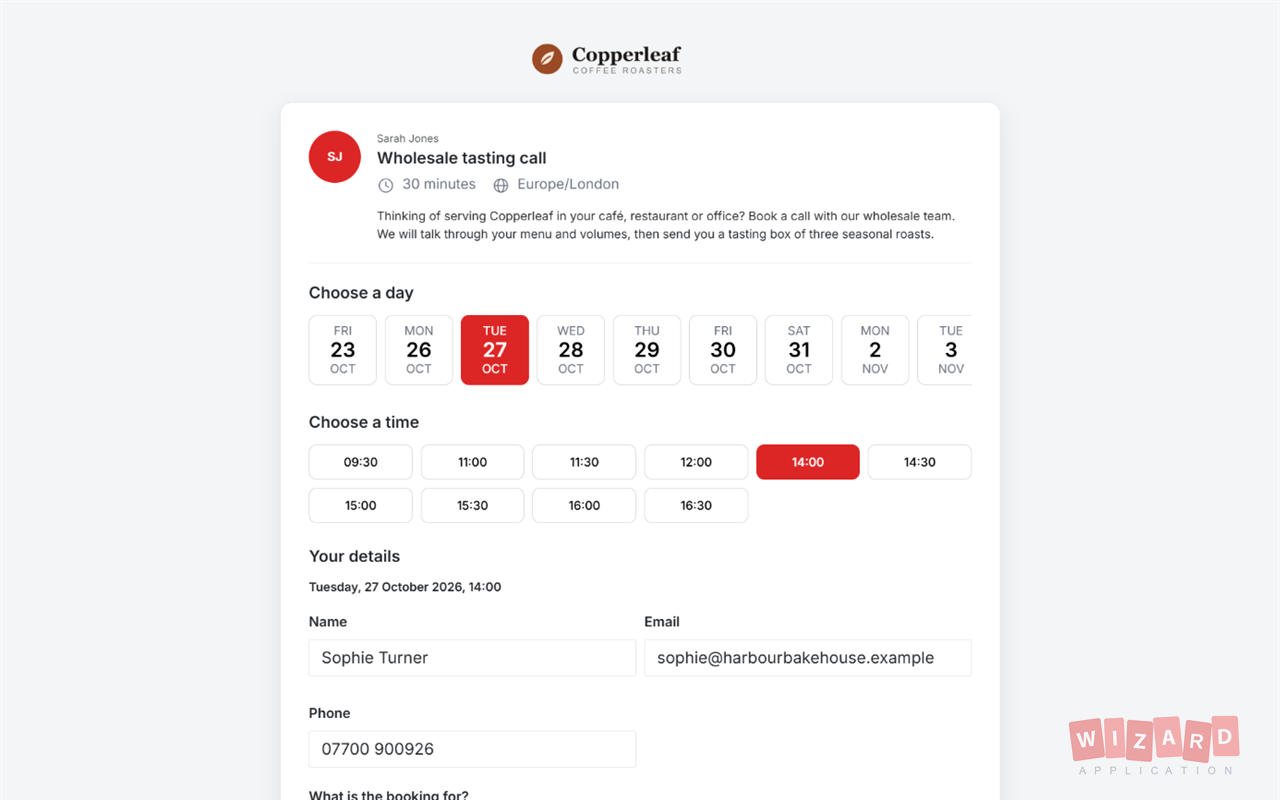
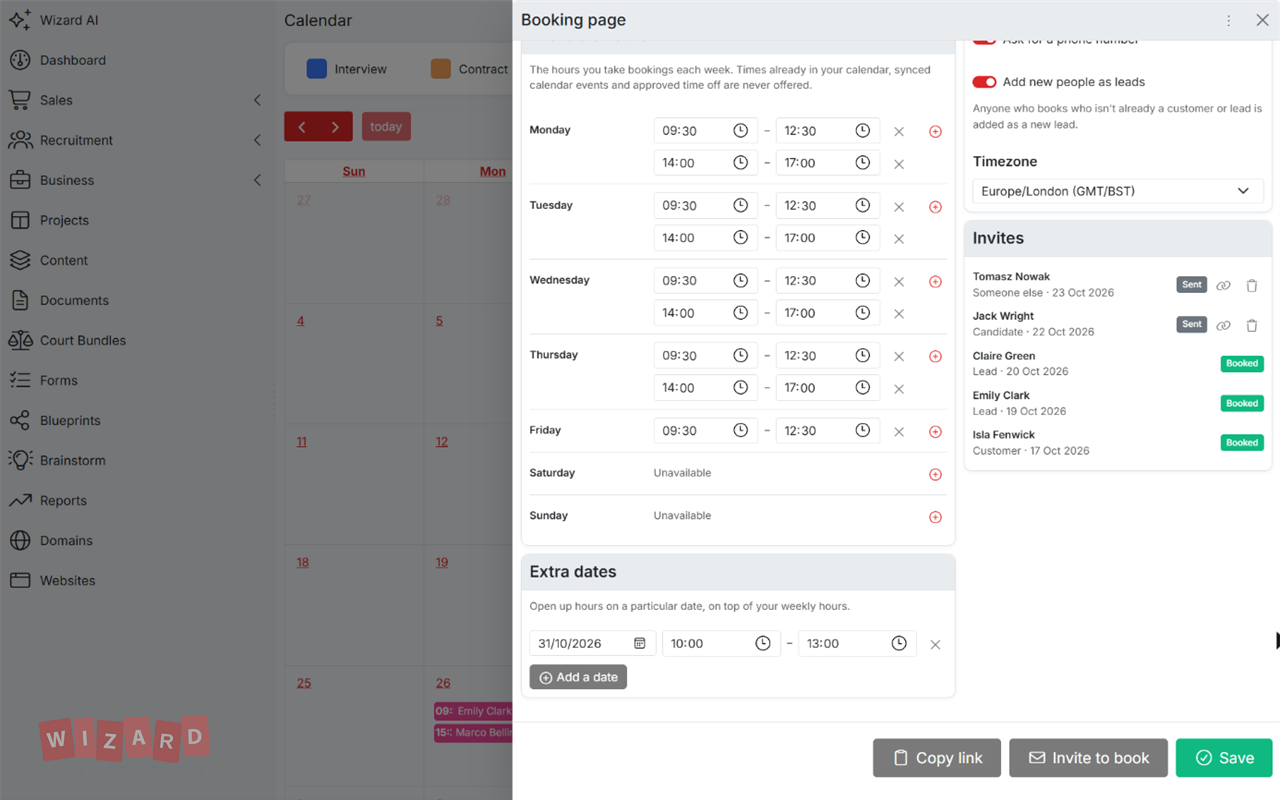
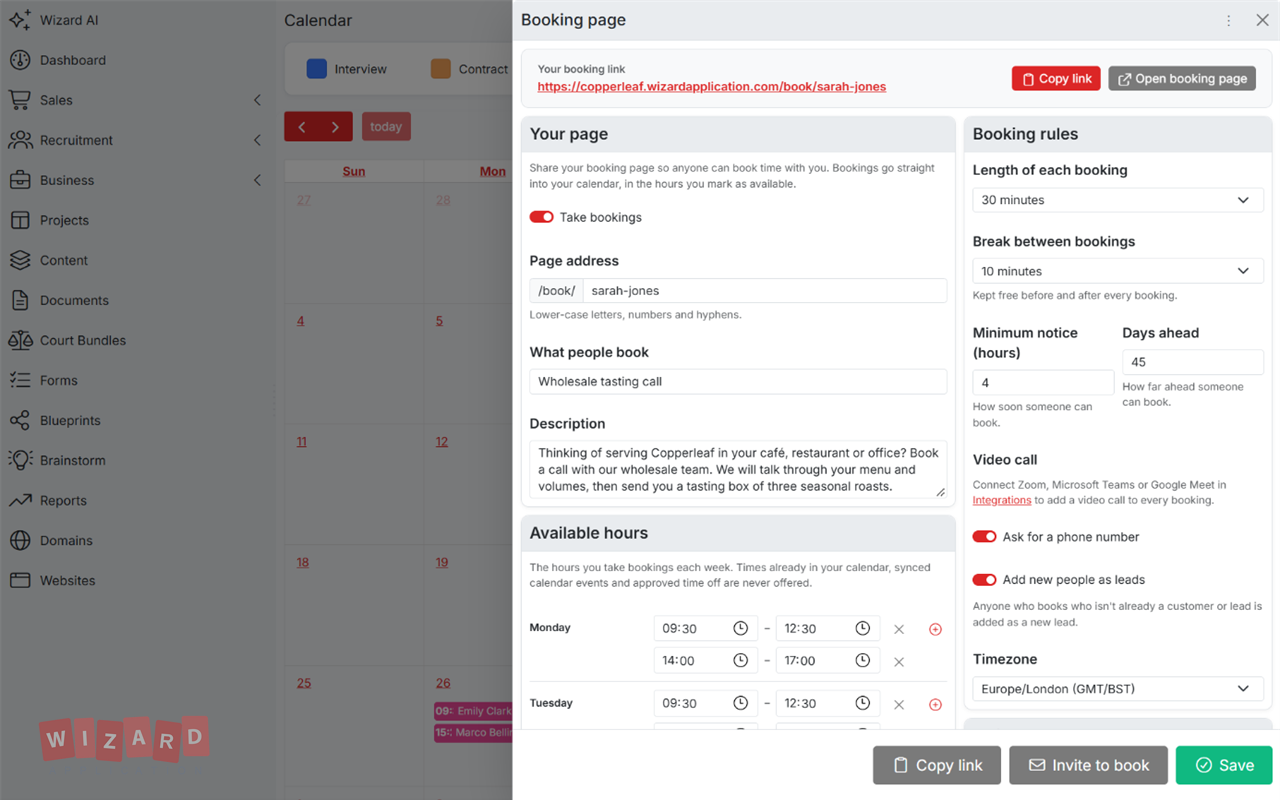
Mark the hours you are free each week and add extra dates when you need them.
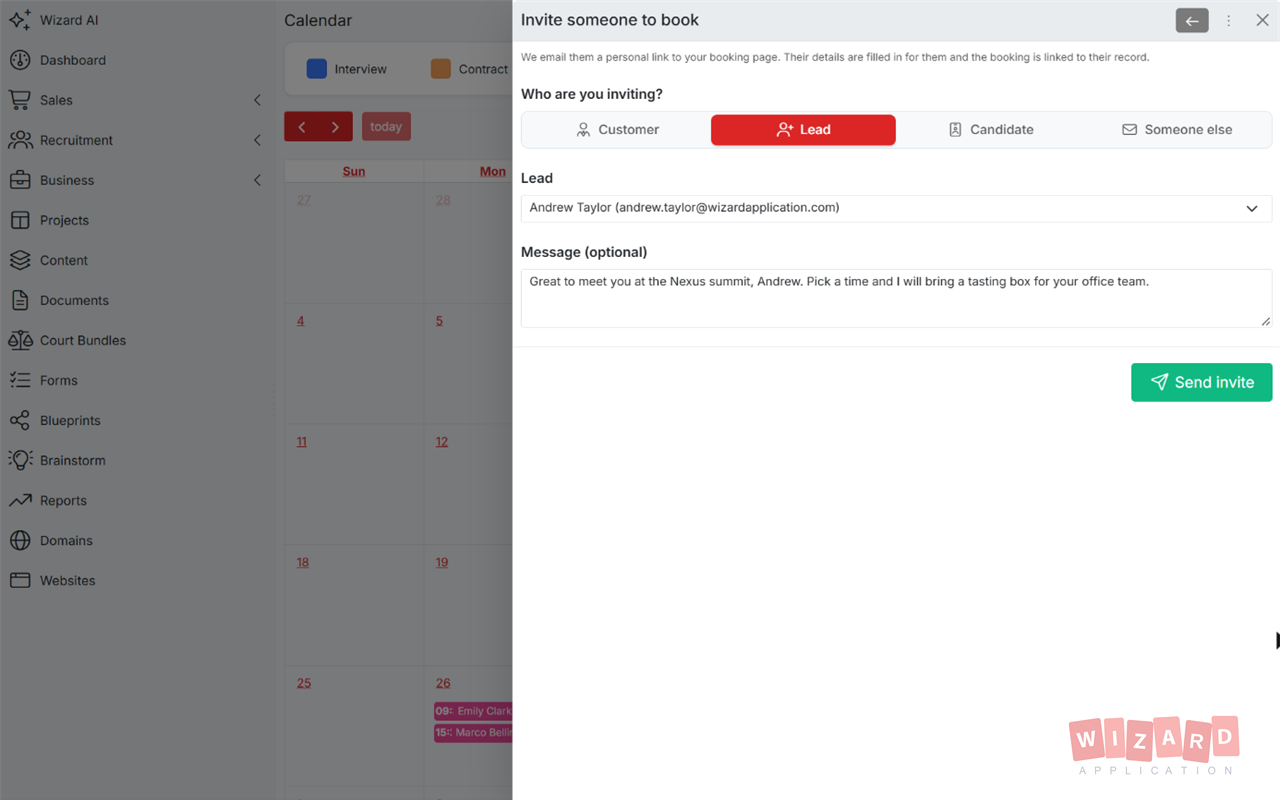
Put your booking link on your website or in your email signature, or invite people by name.
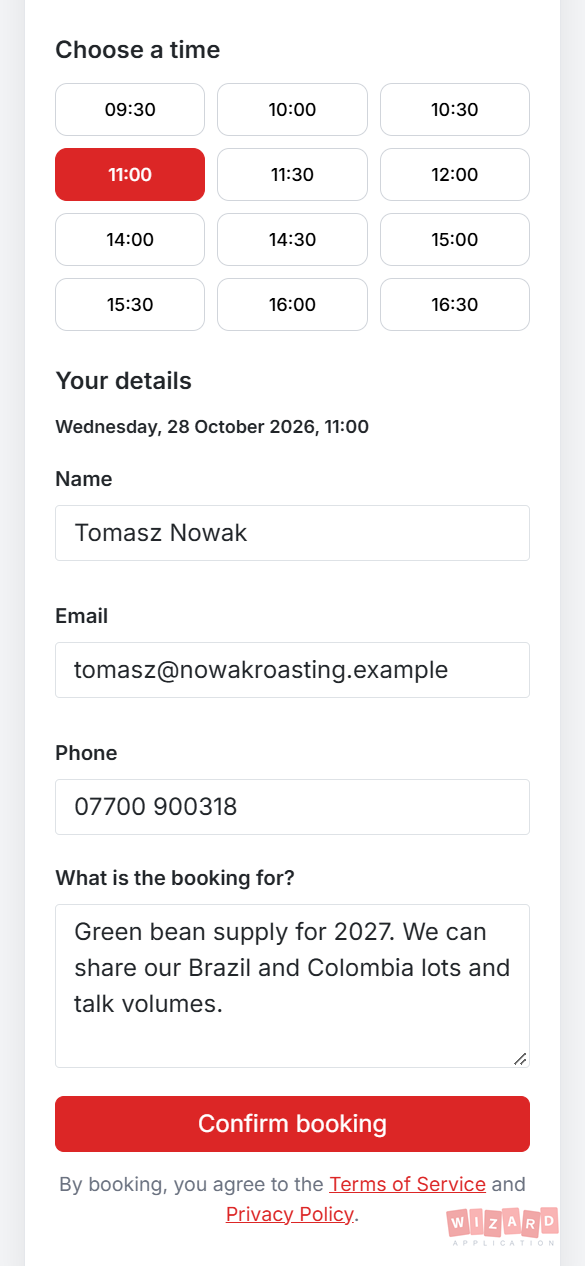
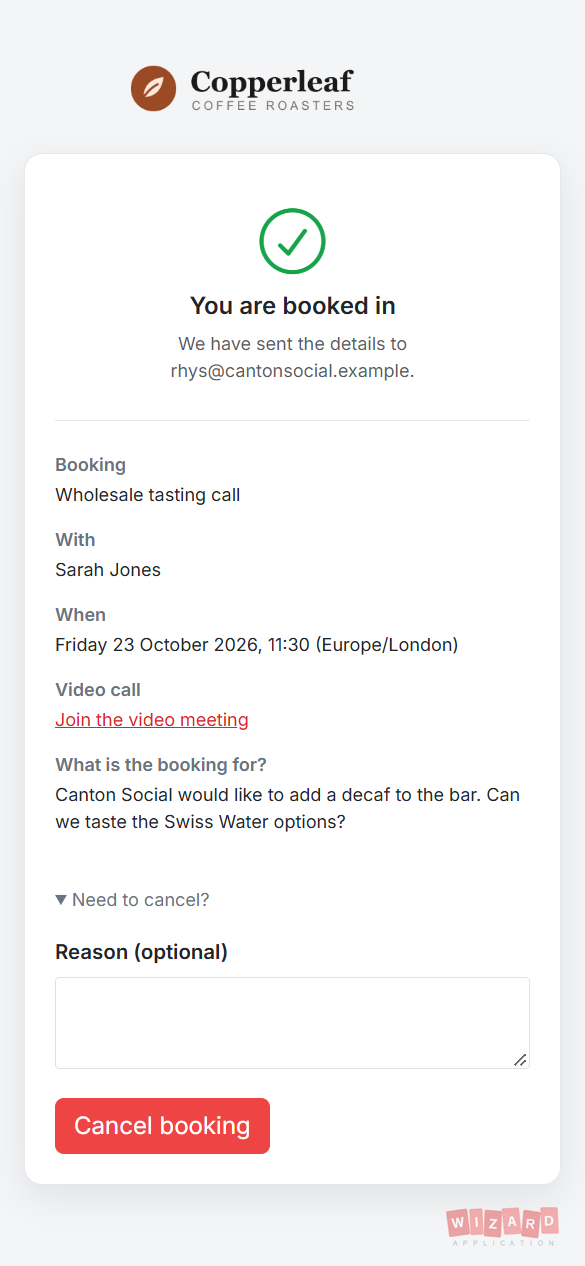
They pick a time and say what it is for. The booking goes straight into your calendar and you both get an email.
People see your free slots, pick a day and a time, and tell you what the booking is for. There is nothing to install and no account to create.
Set the hours you take bookings each week, with as many blocks a day as you like. Your page never offers time when you are already busy.
Choose how long each booking lasts and what you need from people before they book.
Send someone a personal link to your booking page. Their details are filled in for them and the booking is linked to their record.
Everyone knows where they stand, from the moment a slot is booked to the day it happens.
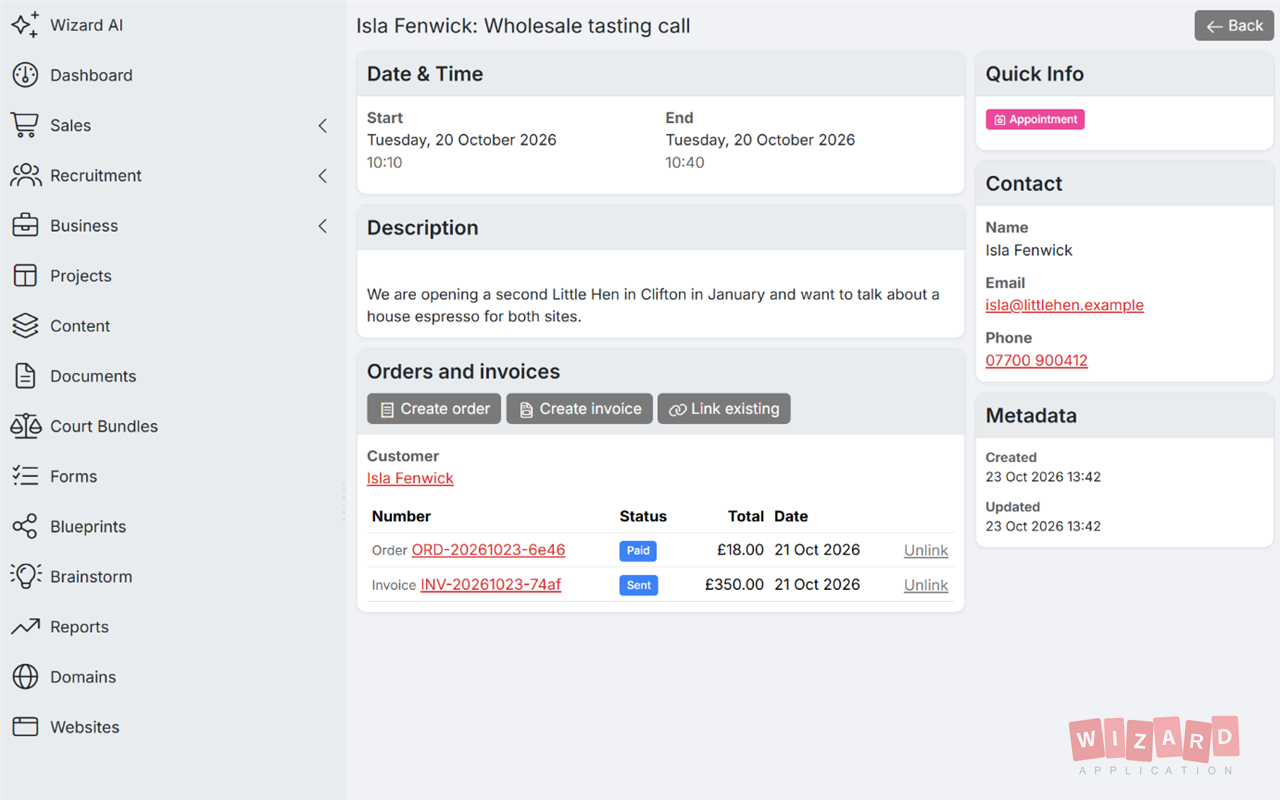
Raise an order or an invoice straight from a booking, or link ones you already have. Everything stays together, so you can see what each appointment brought in.
One subscription. One login. Zero limitations. Replace your entire software stack with a platform built to scale with you.
Comparing Calendly and Wizard Application Calendar Bookings? Here is how a dedicated scheduling tool compares with booking pages built into your business workspace.
Read more
Comparing Acuity Scheduling and Wizard Application Calendar Bookings? Here is how a client scheduling tool compares with booking pages built into your business workspace.
Read more
Comparing Cal.com and Wizard Application Calendar Bookings? Here is how an open scheduling platform compares with booking pages built into your business workspace.
Read more
Comparing SimplyBook.me and Wizard Application Calendar Bookings? Here is how an online booking system for service businesses compares with booking pages built into your business workspace.
Read moreDiscover how Wizard Application can streamline your business. Start free today.
Yes. Calendar Bookings is included on every plan, including Starter. Bookings made from your page count towards your plan's monthly bookings.
Yes. Everyone who uses the calendar can set up their own booking page with their own hours, link and rules. Bookings go into that person's calendar.
Yes. Connect Zoom, Microsoft Teams or Google Meet and a meeting is created for every booking, with the join link in the confirmation. Zoom works on every plan. Microsoft Teams and Google Meet need the Professional plan.
Yes. Every confirmation includes a private link where the person can see their booking and cancel it. You get an email and a notification, and the slot opens up again.
No. Your page leaves out anything already in your calendar, events synced from Google or Outlook and approved time off, plus the break you set around each booking.
Yes. From any appointment, consultation or site visit you can create an order or an invoice for the customer, or link ones you've already raised. Each one links back to the booking. Invoices count towards your plan's monthly invoices.